
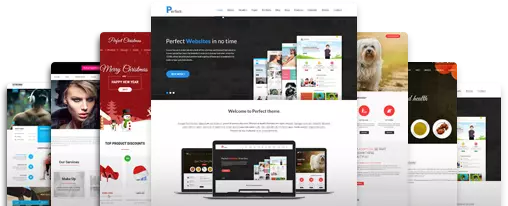
GPL WordPress Themes
Find GPL WordPress Themes suitable
as per your needs
SH Elevator
SKT Forms
Table of Contents
Best GPL Themes and GPL Plugins: Complete Collection & Buyer’s Guide
Access thousands of premium WordPress themes, plugins, and template kits at a low price. Built under the GNU General Public License (GPL), our catalog helps web designers, developers, and small business owners build fast, professional websites. You skip the heavy yearly license fees. Every file is 100% real, untouched, and fully legal.

What Is the GNU General Public License (GPL)?
What Is GPL?
The GNU General Public License (GNU GPL) is a free software license. Richard Stallman created it for the GNU Project. It gives users the freedom to run, study, share, and change software. WordPress uses this exact license. This makes the entire platform an open-source public resource.
Key Principles of the GPL (The Four Freedoms)
Freedom 0: You can run the program for any reason.
Freedom 1: You can study how it works and change it.
Freedom 2: You can share copies to help others.
Freedom 3: You can improve the program and share those updates.
What Is a 100% GPL Theme?
A 100% GPL WordPress theme releases all its code under the GPL. This includes PHP, CSS, JavaScript, and design assets.
Some sellers use “split licensing.” They make the PHP code GPL but keep stylesheets or images locked. A 100% GPL theme gives you total legal freedom to use, change, and share every single file.
Why Choose 100% GPL Themes?
Zero Limits: You have full freedom to change the source code.
Safe Commercial Use: It is totally legal to use them on paid client builds.
No Vendor Lock-In: You can change functions without relying on closed code.
What Are GPL WordPress Themes?
A GPL WordPress theme or plugin is a real piece of software built for WordPress. It is shared under the GPL. When authors build products on WordPress, their code becomes a derivative work. This means the core PHP files must also inherit the GPL license.
How Are They Priced So Low?
Original plugin and theme authors charge high yearly prices to cover:
1. One-on-one customer support and tech help.
3. License key servers that push automatic updates to your dashboard.
5. Marketing costs and profit margins.
A trusted GPL website buys legal copies directly from developers. Because the GPL allows sharing, we legally share these files with you. You only pay for our hosting, curation, and updates. You do not pay for developer support or API keys.
Are These Files Original?
Yes. Trusted GPL sites provide 100% original, untouched files. The code matches the exact files from the original developer. They are not cracked or injected with bad code.
Key Features of GPL Themes
Using a GPL theme does not mean losing quality. You still get all the best built-in features:
Full Code Access
Enjoy total access to the PHP, CSS, and JS code. You can clean up templates or create child themes without locked code.
Unlimited Multi-Site Use
Run a single theme on endless domains. You never pay extra activation fees for staging or live sites.
Mobile-First Design
Modern GPL themes automatically adapt to phones, tablets, and large screens.
Page Builder Support
They work perfectly with Elementor, Divi, Beaver Builder, and the Gutenberg Block Editor.
WooCommerce Ready
Build great stores with custom product pages, live filters, and optimized checkout pages.
Built-in SEO
Enjoy clean HTML markup that works easily with plugins like Rank Math and Yoast SEO.
Language Support
Translate your site easily using tools like WPML and Polylang.
Pre-Built Layouts
Access local demo files to speed up your website design process.
Are GPL Themes and Plugins Legal or Cracked?
The Legal Status
Sharing and using GPL-licensed WordPress tools is completely legal. The GPL license gives you explicit permission to share the code with anyone.
Are They Cracked?
No. Cracked or nulled software uses hacked code to bypass license checks. GPL software does not need cracking. The open-source license allows the code to run freely on any server.
Should I Include a GPL License on a Child Theme?
Yes. If you build a child theme from a GPL parent, it becomes a derivative work. Releasing your child theme’s PHP code under the GPL keeps you fully legal.
Does Buying GPL Void Official Support?
Using a GPL theme means you do not have an active license key. You will not get direct 1-on-1 support or automatic updates from the original author. You must rely on community forums or web developers for help.
Common Misconceptions About GPL Theme
Myth 1: “GPL is the same as nulled software.”
Reality: Nulled software comes from shady sources and often hides malware. Real GPL files are clean, untouched, and fully legal.
Myth 2: “GPL themes are pirated copies.”
Reality: Piracy is stealing. The original creators chose the GPL. This license legally grants you the right to share the files.
Myth 3: “Using GPL products hurts your SEO.”
Reality: Search engines only check site speed, content, and security. They do not care if a theme uses an API key or a GPL license.
GPL Themes vs. Nulled Themes: The Critical Difference
Official Developer
Buying a theme or plugin directly from the official developer is the standard option. The software is provided by the original creator and is generally distributed with its original code.
Legal status: Fully legal when purchased or obtained through the developer’s official distribution.
Code integrity: The original code is provided without unauthorized modifications.
Malware risk: Lower risk when downloaded directly from the official source, although no website can honestly guarantee zero security risk.
Auto-updates: Usually available through the developer’s update system and license or API key.
Developer support: You can normally receive direct technical support from the developer.
Domain limits: The license may restrict how many websites you can use the product on.
Cost: Usually the most expensive option, with prices often ranging from around $59 to $299 or more per year, depending on the product and license.
Reputable GPL Platform
A reputable GPL platform can provide GPL-licensed WordPress themes and plugins under the permissions allowed by their licenses. However, the exact rights depend on the specific software’s license.
Legal status: GPL software can legally be redistributed when the redistribution follows the GPL license terms.
Code integrity: A trustworthy platform should provide the original, unmodified files. However, you should verify the source and files before installing them.
Malware risk: Lower when the platform has strong verification and security practices, but it should not be described as zero.
Auto-updates: Official developer updates may not work automatically because you may not have the developer’s license or API key. Updates may require manual installation.
Developer support: Direct support from the original developer may not be included with the GPL download.
Domain limits: GPL software itself generally provides broad rights to use and modify the software, but separate trademarks, services, premium support, or developer licensing terms can still apply.
Cost: Usually much cheaper than purchasing an individual developer license because GPL platforms may charge a membership or access fee.
Nulled or Pirated Site
Nulled or pirated websites distribute software through unauthorized channels or provide modified versions designed to bypass licensing systems.
Legal status: Unauthorized distribution can infringe copyright or violate other applicable laws and license terms.
Code integrity: Files may have been modified and could contain unwanted scripts, backdoors, or other malicious code.
Malware risk: Significantly higher because you may not know who modified or distributed the files.
Auto-updates: Developer update systems may be disabled, bypassed, or unreliable.
Developer support: Original developer support is generally unavailable.
Domain limits: A pirated version may claim unlimited usage, but that does not make the distribution or use legally authorized.
Cost: It may appear free, but security, maintenance, legal, and website-recovery risks can make it costly in practice.
In Simple Terms
An official developer provides the product with the developer’s licensing and support. A legitimate GPL platform can provide GPL-licensed software under the applicable license terms, but may not provide official support or automatic updates. Nulled sites are fundamentally different because they involve unauthorized distribution and carry substantially greater security risks.
Pros and Cons of Using GPL Themes
Pros
Huge Cost Reduction: Save thousands of dollars on expensive yearly renewals.
Unlimited Domains: Install products on as many testing and live sites as you need.
Unrestricted Code: Change the underlying code to match your exact needs.
Ideal for Testing: Test premium plugins on staging servers before buying direct developer support.
Cons
Manual Updates: You must download and replace the .zip file yourself when updates launch.
No Direct Help: You cannot open official support tickets with original authors.
Cloud Restrictions: Some themes require proprietary API keys to download cloud-hosted templates.
Is It Safe to Use GPL Themes?
GPL themes are safe only if you get them from a clean, trusted platform. The risk comes from shady websites that hide malware inside “free GPL” files.
How to Use GPL Safely
1. Use Trusted Sites: Never download themes from random forums or torrent sites.
3. Scan Before Installing: Run downloaded .zip files through VirusTotal to check for malware.
5. Use a Staging Environment: Test new themes on a local setup or staging server first.
7. Add Security: Keep security plugins like Wordfence or MalCare active to block bad traffic.
Step-by-Step Installation of GPL Themes for WordPress and Update Guide
Method 1: Installing via WordPress Admin
1. Download the theme .zip file from your dashboard.
2. Log into your WordPress admin panel.
3. Go to Appearance > Themes > Add New > Upload Theme.
4. Click Choose File, pick your .zip archive, and click Install Now.
5. Once it finishes, click Activate.
Method 2: Installing via cPanel / File Manager
1. Log into your web hosting control panel and open File Manager.
2. Go to your WordPress folder, usually public_html/wp-content/themes/.
3. Click Upload and move the .zip file to the server.
4. Right-click the file and select Extract.
5. Delete the .zip archive to save space.
6. Open your WordPress dashboard, go to Appearance > Themes, and activate the theme.
Method 3: How to Install Elementor Template Kits
1. Install and activate the free Template Kit Import plugin from WordPress.org.
2. Go to Tools > Template Kits.
3. Click Upload Template Kit ZIP and pick your file.
4. Review the required plugins on the screen and click Install Requirements.
5. Click Import Template on the layouts you want to use.
How to Safely Update GPL Themes
GPL items do not use auto-update keys. Follow these steps to update safely:
1. Download the latest .zip version from your account.
2. Go to Appearance > Themes > Add New > Upload Theme.
3. Select the new .zip file and click Install Now.
4. WordPress will say the theme is already installed.
5. Click Replace active with uploaded. Your custom settings and content will stay intact.
Troubleshooting: “The theme is missing the style.css stylesheet.”
This is the most common install error in WordPress.
The Cause: You uploaded the main unzipped package. It often holds extra docs and licensing files inside a master folder.
The Fix: Unzip the first downloaded file on your computer. Find the actual installable theme .zip inside it. Upload only that specific file.
How to Build a Professional Website Using GPL Themes
1. Get Good Hosting:
Use quality hosting that supports PHP 8.1+ and offers free SSL certificates.
2. Use a Staging Site:
Test your GPL theme and plugins in a safe staging space first.
3. Install a Child Theme:
Always use a child theme so manual updates do not erase your custom code.
4. Configure Security:
Install a good login hardening plugin to block brute-force attacks.
5. Import Demos Manually:
All our themes are one-click demo imports included in the theme folder.
6. Optimize Speed:
Add caching and image optimization plugins to ensure fast loading times.
7. Go Live:
Push your verified staging site to your live domain.
Final Thoughts: Should You Use GPL WordPress Themes?
GPL themes and plugins offer a legal, flexible, and cheap way to build professional websites. By pairing authentic GPL resources with good security habits and staging sites, you can build modern digital experiences while keeping costs low. Browse our complete catalog of 100% GPL WordPress themes and plugins above to launch your next project today.
Frequently Asked Questions (FAQs)
Licensing & Legal Principles
What does GPL stand for?
GPL stands for General Public License. It means the core software, themes, and plugins are free to use, modify, and share. This keeps software open and customizable.
What is a GPL license WordPress theme?
It is a design template built for WordPress. The GPL governs its code, giving you the legal right to install, change, and run the theme on any website.
Are all WordPress themes GPL?
All themes on the official WordPress.org site are 100% GPL. For paid third-party themes, the PHP code is always GPL. Some developers try to split the license for their images and CSS.
Are GPL licensed themes cracked or legal?
They are completely legal and not cracked. The GPL allows you to share the exact original code without cracking any protection.
Can I modify GPL-licensed themes for my clients?
Yes. You can change any GPL software. This lets you tailor themes for clients without breaking the law.
Do I have to share my modifications publicly?
No. If you use the changes for your own projects or a client, you do not have to share them. You only share the code if you distribute the software to the public.
Can I use GPL software in commercial projects?
Absolutely. You can use GPL software commercially. Many successful businesses rely on GPL tools to build their websites.
How does GPL software benefit my agency?
It lowers your costs and gives you total freedom to customize projects. It also ensures compatibility across all your client websites.
Are there risks with GPL licensing?
GPL licensing is very low risk. Just ensure you understand the terms and stay compliant if you plan to redistribute the software yourself.
How do I ensure a theme is GPL-licensed?
Check the theme’s documentation or the developer’s website. Reputable WordPress resources clearly state their licensing information.
What if I find a non-GPL component in a theme?
If you find locked components, contact the developer for clarity. You may want to seek a 100% GPL alternative to avoid issues.
Should I include a GPL license on a child theme?
Yes. A child theme extends the parent theme. Releasing its code under the GPL keeps you fully legal.
Does buying GPL licenses void official support?
Yes. You do not get an individual license key from the developer. This means you do not get direct ticket support or automatic updates.
Security, Originality, & Operations
Are GPL themes safe to use?
GPL software is safe when you get it from vetted platforms. The real danger comes from untrusted sites that hide malware in “free” downloads.
Are these GPL themes and plugins original?
Yes. All downloads are authentic, untouched files obtained directly from upstream developers.
How are GPL themes priced so low?
We buy bulk developer subscriptions and share them legally. We do not provide private support desks or auto-update servers, so we pass those savings to you.
How many sites can I use the theme on?
There are no limits. You can legally deploy downloaded themes on unlimited personal or commercial websites.
How long can I use the downloaded files?
Forever. Once downloaded, you hold the legal right to use that version of the software indefinitely.
Will I get automatic updates in the dashboard?
No. Auto-updates require a proprietary API key. You must download the updated .zip file from your dashboard and apply it manually.
Will I get support from the developer or platform?
You will not receive direct technical support from the original author. Our platform support only handles account issues, billing, and broken links.
Where can I see the latest product updates?
We track all newly added themes and updates live on our public Changelog page daily.
How often are new updates released?
We post updates regularly. As soon as the developer publishes a stable release, we check it for security and upload it.
Quick links
Categories
- Real estate
- Author
- Automotive
- Bakery
- Blog
- Business
- Church
- Construction
- Corporate
- Dentist
- Divi Child
- Ebook
- Ecommerce
- Education
- Fastest
- Fitness
- GPL
- Gutenberg
- Hotel
- Interior
- Lawyer
- Magazine
- Medical
- Multipurpose
- Music Artist
- Nature
- News
- NGO
- Non profit
- One Page
- Personal
- Photography
- Plugins
- Portfolio
- Resort
- Responsive
- Restaurant
- Spa and Salon
- Sports
- Technology
- Travel
- Wedding
© Copyright 2026 M/s. Shri Krishna Technologies